Your Steam Deck's plugin store,
right inside Gaming Mode.
Discover, download and update Decky Loader plugins with your controller. No Desktop Mode, no hunting through GitHub releases, no zip juggling.
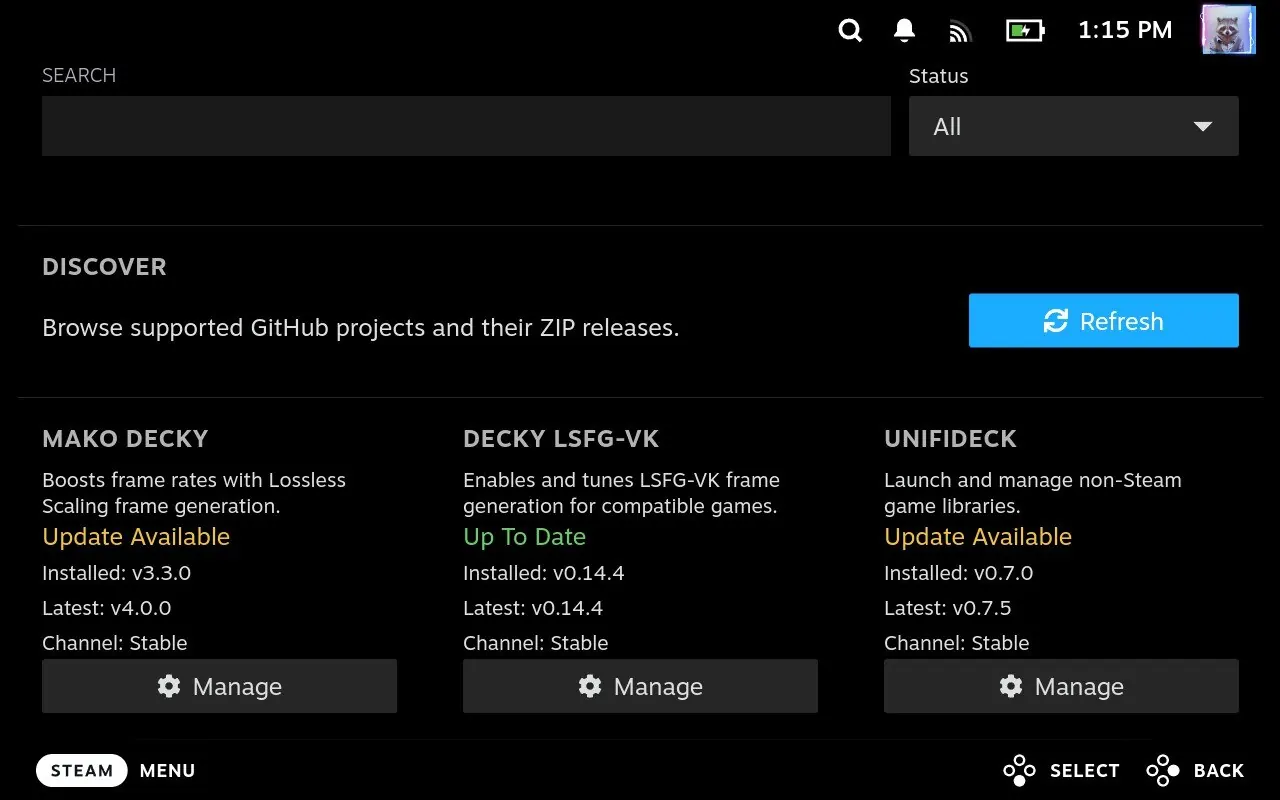
Discover, download and update Decky Loader plugins with your controller. No Desktop Mode, no hunting through GitHub releases, no zip juggling.
Built for the couch: every screen works with the gamepad, and nothing touches your system until you say so.
DeckyHub checks your installed plugins against their latest GitHub releases and pings you with a toast the moment something new drops.
A curated catalog of Steam Deck plugins, filterable by status and color-coded so you spot what needs attention at a glance.
Full gamepad navigation and one-tap actions designed for Gaming Mode, not a desktop page squeezed onto a small screen.
Installs go through Decky Loader's own installer and confirmation dialog, with SHA-256 checksums verified whenever GitHub publishes one. Nothing runs on its own.
Search GitHub, add any repository, pick stable or pre-release channels per app, and export your list to share or back up.
Check for new DeckyHub releases from Settings and update in place, or reinstall and downgrade to any recent version.
Four screens, all reachable from the Quick Access Menu.
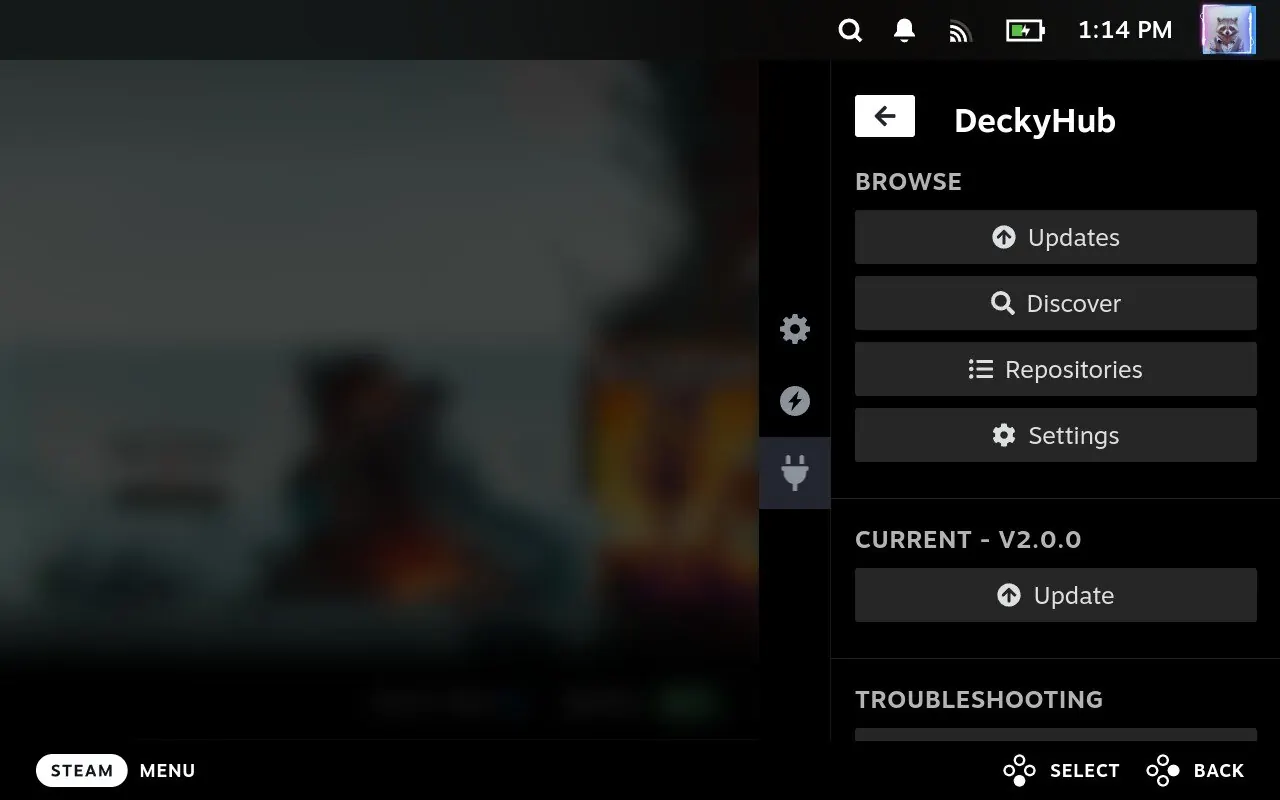
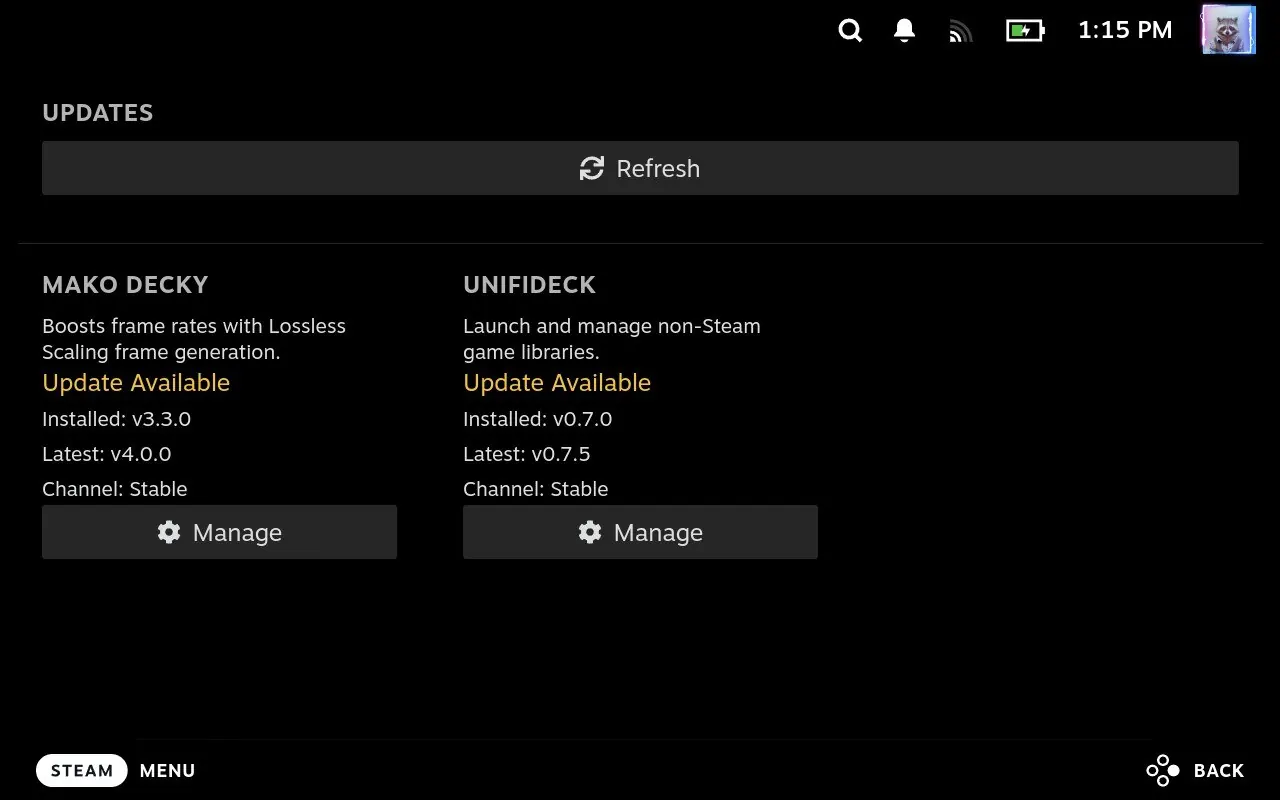
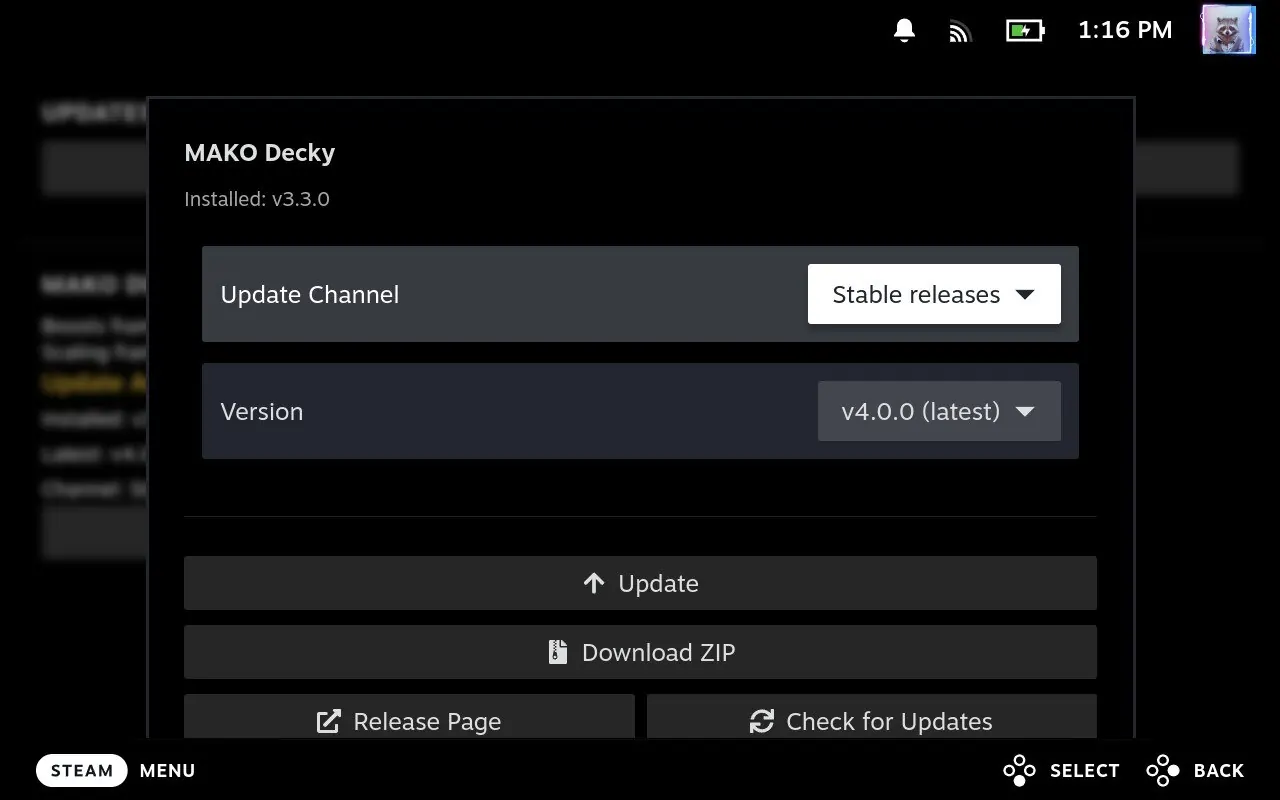
You need Decky Loader on your Steam Deck first.
DeckyHub-v*.zip from the Releases page.These plugins show up in Discover the moment you install DeckyHub. Add anything else from Repositories.
Boosts frame rates with Lossless Scaling frame generation.
eugeniosegala/MAKO
Frame GenerationDecky LSFG-VKEnables and tunes LSFG-VK frame generation for compatible games.
xXJSONDeruloXx/decky-lsfg-vk
Game LibrariesUnifideckLaunch and manage non-Steam game libraries.
mubaraknumann/unifideck
Frame GenerationDecky FramegenControls Lossless Scaling frame generation for games.
xXJSONDeruloXx/Decky-Framegen
Mod ManagersNexus ModsBrowse and manage Nexus Mods from Gaming Mode.
RedRanger14/decky-nexus
Launch OptionsDecky Proton LaunchSet Proton versions and launch options per game.
moi952/decky-proton-launch
Launch OptionsLaunch OptionsCreate and apply reusable game launch options.
Wurielle/decky-launch-options
Game LibrariesNon-Steam BadgesShows compatibility badges for non-Steam games.
sebet/decky-nonsteam-badges
PerformanceDecky-UndervoltAdjust CPU and GPU undervolting from Gaming Mode.
totallynotbakadestroyer/Decky-Undervolt
Game LibrariesProtonDB BadgesDisplays ProtonDB compatibility ratings in your library.
bschelst/protondb-decky
CustomizationCSS LoaderApplies custom themes and CSS to the Steam interface.
DeckThemes/SDH-CssLoader
ControllersDeck as ControllerUse your Steam Deck as a wireless Bluetooth controller for your Mac or iPad.
jmedina21/deck-as-controller
Frame GenerationBGFXControls Borderless Gaming BGFX effects and frame generation from Quick Access.
andrewmd5/decky-bgfxPrefer a bigger screen? Build or edit a repository list in your browser, export the JSON, then import it from DeckyHub's Repositories screen. Nothing is uploaded.
Never. Download ZIP just saves a file to /home/deck/Downloads/deckyhub. One-tap Install, Update and Uninstall go through Decky Loader's own installer, which asks you to confirm first.
Without a login GitHub allows 60 requests per hour. Add a personal access token (no scopes needed) in Settings → GitHub Access to raise that to 5,000. The token stays on your Deck and is only sent to api.github.com.
Release info is cached for 30 minutes. Any "Check for Updates" or "Refresh" button skips the cache and asks GitHub directly.
Most of the code was written with the help of AI tools (Claude and Codex). Every release is still tested on real Steam Deck hardware before it ships.